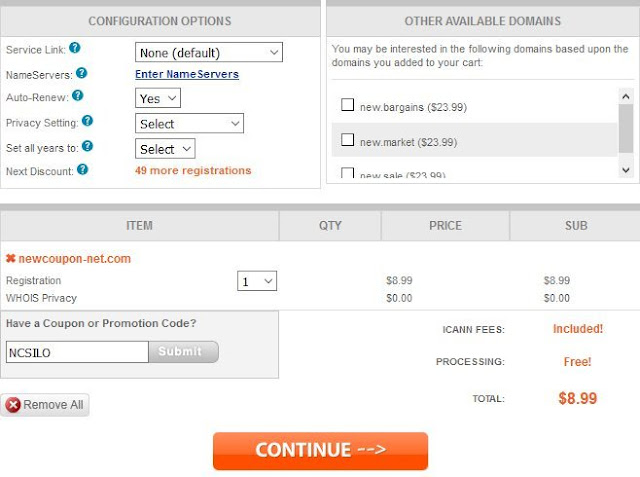
As you know, almost of GoDaddy renewal coupons has expired or invalid. We’re tried to looking for any new codes to get some discounts. At the moment, we have
update 20% off renewal coupon on the page godaddy renewal coupon, but, i really don’t know why it’s doesn’t works well with all customers, some well, some fails :|.
I’ll be sharing below, you just need do following step by step for grab 20% off on domain renewals at GoDaddy.
GoDaddy Renewal Tip To Get 20% Off
Step 1: Go to
GoDaddy Account, click to
Domain Settings button at the domain you want to renewal.
Step 2: Next, at the
Domain Settings page, you scroll to
Additional Settings section at the bottom of this page, then click to
Transfer domain away from GoDaddy.
Step 3: Next page screen, you scroll to
section 6, complete the fields that ask where you are transferring to and why you are transferring. Then click
Continue with Transfer button.
If you don’t know what you need enter to this fields, let doing Step 4: Okay, Next screen is what we’re want. :D. GoDaddy will offer you
20% off a one-year renewal if you stay with GoDaddy. Now, Of course, you just click to
Accept Offer button, GoDaddy will be redirect you to Check out page, and they had gives you 20% off for this domain renewals, no need any code
Final Step: Enjoy your favorite cup of coffee, Then back to our godaddy renewal coupons page, subscription and share it to your best friends.
*** This offer notes:- You can renew maximum of 5 years.
- PayPal & Credit Card are accepted for payments.
- The ICANN fee is not included.
Okay, that’s all. I hopes this tip can helps you got some discounts when renew domain names at GoDaddy. Good luck and wish you success