Showing posts with label Software. Show all posts

Wednesday, 18 January 2017

QUICK LOOK ON TOP 10 BUSINESS SOFTWARE AND TOOLS


Business, as all we know it’s not a single handed thing but a teamwork, in which we give some service, product, a solution to the people, so they can make their life easy or beautiful.
But, nowadays there is so many software available online or offline, which can help us, to run our businesses alone. These are in the form of virtual assistants, virtual executives, online databases or online tools. There are so many and very easily available, some are free and some are paid.
Here I will discuss, only ten main software which can act as a pillar of your business. But trust me if you go to do research by yourself you will found amazing software and tools. 
1) Accounting Software:  One of the important department of the business is accounts.Tally is an example everyone heard about it but now there are so many improve and advance accounting software are available in the market like Xero, QuickBooks, Zoho, Kashflow and much more. The features of these softwares are:
  • Convert quotes into the invoices
  • Track expenses, billable hours, bills
  • Manage vendors, suppliers manufacturers
  • Manage inventory, fixed assets
These software price range is from $0-$36, depends upon features and services taken by you. 
2) Backup and Recovery: Unfortunates are the part of the business and hard disk crash or fire in office are the most common accidents which happen in offices. But now do not worry about these type of things, because you have some amazing software available in the market which can help you to take the backup of your data and to recover any time. Some examples are NovaBackup, Acronis True, Genie, TurboBackup and much more. The features of these softwares are:
  • Highest level of Encryption
  • Cloud integration
  • Full system imaging
These software price range is from $0-$100, depends upon features and services taken by you. 
3) Project management software: Business survives only on projects done by it. Nowadays time is everything and every client wants his/her project should be complete on time without any error, so this is one of most important software or tool of the business. Some of best project management softwares are Freshdesk, Confluence, Slack, Trello, Basecamp and much more. The features of these softwares are:
  • Budget Management
  • Team management
  • File sharing,
  • Easy to communicate with client as well team
  • Client and admin can see work progress online
  • Time and Expense Management
These software price range is from $0-$100, depends upon features, services and number of users taken by you. 
4) CRM: The full form of CRM is Customer Relationship Manager. Any software who can help you to manage your customers either in the form of sales, project tasks, marketing automation, support or help is known as Customer Relationship Manager.Some of the examples are Salesforce, HubSpot, SAP, Pardot, SugarCRM and much more. The features of these softwares are:
  • Streamline the email marketing
  • Give clean report to client
  • Real-time data analysis and reporting.
These software price range is from $0-$100, depends upon features, services and number of users taken by you.
5) Database:  In simple words, a database is a group of tables, in which our data get stored. All our applications get to connect with these databases and retrieve the information according to a user request. MS-Access which comes with the Microsoft office is the most common and known database. But now, there are so many other databases which are available in the market with advanced features like Oracle, MYSQL, SAP, Teradata and much more. The features of these databases are:
  • Intelligent optimizer to process queries
  • Combine unstructured and structured data in a smart way
  • High performance for transaction base application
  • Security and Safety of data
These software price range is from $0-$100, depends upon features, services and number of users taken by you.
6) Email Application: Emails become the important part of our daily life, whereas in business this is the most important part of the marketing department. Although there are so may other ways but email marketing still have its position or importance in marketing, So keep this point in mind, developers develop so many email marketing softwares like Inky, Sendblaster Mozilla thunderbird, Opera Mail, Zimbra and much more.
The features of these softwares are:
  • Built-in calendars
  • Auto scheduling of sending mail
  • Multiple email accounts
  • Easy to use
These software price range is from $0-$10, depends upon features, services and storage space taken by you.
7) Remote access: Sometimes it happens, especially in startups or small businesses where you need to make your client happy at any cost, client give the changes and developer are missing. In these type of critical conditions where the work has to done on the urgent basis and the worker is not available, these remote access software is very helpful. These softwares allow anyone to use the device from the remote location. The other way around, we can use them for real-time editing or changes.  Some of the remote access softwares are Team Viewer, Remote Utilities, Ammyy Admin, Ultra VNC and much more. The features of these softwares are:
  • Easy control of mouse and keyboard to a remote PC
  • Bult in chat application
  • Transferring files
  • Cursor Tracking
These softwares price range is from $0-$500, depends upon features, services, and a number of computers taken by you.
8) Security Suite: Security is the major part of our life either offline or online and when we talk about business it becomes the critical need of our business.  Nowadays so many Internet security softwares ar available, who continuously monitoring our devices so that no virus or bug can affect them and steal any type of data. Some of best internet security softwares are Bitdefender, Norton Security, Kaspersky labs, Avast and much more.
The features of these softwares are:
  • Antimalware
  • Act as Firewall
  • Scan all the emails
  • Protect login and passwords
  • Online backups
These software price range is from $0-$100, depends upon features and services taken by you.
9) Social Media applications:  nowadays, LinkedIn, twitter, Quora, Facebook and many more social media platforms where we need to market our products, services or solutions, so we can reach more users or customers. But when the point comes to post or follow on this platform it becomes a huge project. So to manage all these things there are so many software available in the market like ONEsite, Exo Platform, Hoot suite, Social engine and much more. The features of these softwares are: 
  • Give access to all social platforms under one roof
  • Auto schedule post, comments
  • Follower tracking
  • Comments & posts tracking
  • Suggestion tools for comments and post creation
These softwares price range is from $0-$100, depends upon features, services, and a number of accounts added by you.
10) VOIP: VOIP means Voice over internet protocol, in easy words with this software we can do instant messaging, internet voice calls and voice conferring altogether. Some of the examples are Skype, Google hangouts, ooVoo, Viber, Jitsi and much more. The features of this softwares are:
  • File or Screen sharing for online meetings
  • Group video chats
  • Serves multiple users simultaneous
These software price range is from $0-$10, depends upon features, services and number of users taken by you. 
There are some other software like calendars, instant messaging, blogging tools, website builders, and freelancer or workers providers and so on. Really want to grow your business without the help of so many people, go and include all these software in your business now.
That’s all for today, hopefully, you will like it. Please share your comments and opinions in the below comment box.

Sunday, 27 November 2016

10 PROJECT MANAGEMENT TOOLS AND TECHNIQUES


This is well-known fact these days that the Project Management is the backbone of the project. Be its planning of resources, be its effort and cost estimation, be it anything related to project, efficient Project Management is most important and crucial factor in the success of the project. Experts say it takes almost 10-12% effort of total project effort in Management.
Project Management is not as simple as it seems to be. It feels good to project Manager of any project but when it comes to actual execution, he/she is the one who takes the most pressure. In order to have a smooth path for the project, there are a lot of tools and techniques in the market which can not only make the Project Manager’s life easy but can lead to a systematic and controlled execution throughout the project.
In the article, we will discuss the most commonly tools and techniques being used by successful leaders. We will talk about the techniques first followed by the Tool:
Techniques:
1) Brainstorming
This is a most common technique used at the very early stage of everything. This is basically having an open discussion with all stakeholders involved and narrow down to the specific path. This is the easiest way to start a new activity or decision-making process.
2) Critical path (Flow diagram):
This technique helps a Manager to get a quickest and the slowest timelines of the project. In this, all the major milestones act as intermediate destinations that create a path from start to end of the project. Then with help of proper stakeholders, Manager conclude a set of mandatory destination for the project and a way leading through Mandatory destinations is called critical path. This gives Managers a flexibility of delay for the destinations that are not on critical path.
3) Fish Bone analysis
This technique helps a Manager to find out the root cause of any problem in early stages the project. This is basically a Cause and Impact and helps to find out anything that can make a big impact on the project and the possible cause of the activity. So basically it helps in writing down risks in the project.
4) Lesson Learned
This is most commonly technique used by Managers to document the findings from a completed project and use the same in the upcoming similar project in future. Lesson learned can be documented through various project closure meetings. feedback sessions, Feedback surveys. This is very important and essential technique to be used in every project.
5) Variance report
This is another very important technique being used by Manager during the execution of a project and in order to have a better control and governance on the project. Manager document the actual effort and cost being used in the project against the planned. This helps higher management to have an overview on the consistency in the project as well as a confidence for having a good governance.
6) Project Charter
This technique is used to initialize any project. The project charter is a document that contains all the relative information about the project requirement, stakeholders, and tentative timelines. This is generally a one-page document that act as inputs to the actual scope document.
7) Gantt Chart
This is a most important technique that a project manager uses throughout the project. Gantt chart is basically a timeline of complete project and details on the milestones or destinations. Project Manager often uses Gantt chart to showcase the whole project to management instead of the detailed project plan.

Project Management tools:
1) Microsoft Project: This is one of the most widely used project management tools across the globe. Very handy tool that provides almost everything from planning to execution out of the box. Excellent tool for a beginner. It provides a very interactive user interface that seems like a simple excel sheet to use and do many things automatically for the Manager. If you want to track the overall project in very simple and easy way, this is the tool for you.
Product Vendor: Microsoft
License: Paid /per installation or Bulk
Application Use: Desktop Based application
Features:
1) Complete project Plan
2) Resource Detail and dependency
3) Ability to trace the relation and dependency of tasks on other tasks.
4) Out of box Gantt chart
5) A number of reports to be used.
2) Gantt Project: This is just a smaller version of MS Project and often reviewed and compared by a user across the world. Like MS project, it is also an interactive tool but the person using this must have good knowledge of Project Management. It manly focus on PERT and Gantt charts.
Product Vendor: Open source
License: Free
Application Use: Desktop Based Application
Features:
1) Gantt. PERT Charts
2) A number of reports to be used in pdf and word format
3) Project Place: This is a cloud-based tool and being used by number of organization across the globe. This is very interactive and detailed planning and execution tool and a complete project Management solution. Using Project Place once can track to smallest possible activity with resource attached, the status of activity, execution dates, effort spent and much more.  Project place act as a single repository for project planning, document handling. Issue tracker, Meeting notes, meeting scheduling and much more. Whole plan can be divided into the board (phases) and can further be divided into cards (tasks) that can be assigned to respective resources. Once of the best project Management tools if used to fullest capabilities,
Product Vendor: Project place International
License: Paid /per user
Application Use: Cloud (web based)
Features:
1) Complete project Plan
2) Resource Detail and dependency
3) Ability to trace the relation and dependency of tasks on other tasks.
4) Always live and actual status of the project. No need to put anything in any report.
5) Tracking to activity level
6) Single place for all project related documents
7) Out of box meeting scheduler and Minutes of Meeting holder
8) Issue tracking and reporting facility
9) Out of the box resource level report for work load  

Tuesday, 29 March 2016

CALL CENTERS- SOFTWARES


Hi guys, welcome again. How are you doing? 
This morning I was sitting in my lounge with my cup of coffee thinking about my new topic and I got call from one of my friend who is software developer. Now a days he is working on a software which will use in call centers. I found it interesting and start researching about it. I got lot of stuff on it and will share with you with the interval of time. Today’s let us discuss about some basics.
So today my topics will be what are these call centers software? Are they different from other software?  How can we use it? What are different types? Who are main providers?
First question first what are these call center software? These are special software which develop only for call centers to perform their tasks. These software use the similar programming languages like C, C++, .NET etc. to develop.
How it helps in call center?
Run a call center is not easy task. There are so many problems like it’s hard for agents to remember all resolutions and solutions so company build Decision Tree Driven interactive guides for customer services. Actually, Call center software is the software system that allows a company or organization to run a call center.
Types of Call Center Software
  • Automatic Call Distributor (ACD), uses a set of instructions to determine who gets the call in system. This helps productivity by assigning inbound agents to incoming calls.
  • Computer Telephony Integration (CTI), connects telephone and computer system
  • Interactive Voice Response (IVR), allows callers to get access accounts and perform certain tasks from the appropriate department or use the company’s database for assistance.
  • Predictive Dialer, it calls list of phone numbers which are connected to outbound agents.
  • Call Center Monitoring, use to evaluate agent behaviors, provide timely feedback and support, boost service quality, and cultivate customer experience and loyalty like VPI
  • Call Accounting Software, it’s an application that captures, records, and costs telephone usages.  Call accounting systems detect outbound and inbound calls, call ring outs, call routings, abandoned calls etc.
  • Call Analytics, use to measure the performance of a call center’s customer service representatives individually and as a whole.
  • Contact Centre Software, this use to develop applications for chat, email etc.

Call Centre Software Providers
There are so many call center software providers some of them are:
3CX Phone System Pro ,  Avatar Dialer ,  Avyukta Intellicall-VoIP +Dialer , Electronic Voice Services,
Enghouse Interactive Call Centre Software ,Enterprise Communications - call centre software and predictive dialer system , Neotel,   Newfies-Dialer, A Free and Open Source Autodialer & Call Centre Software  Nixxis Contact Suite ,SmartVoice Network ,Promero, Q-Suite  Voicent Call Centre Software,  ICTBroadcast Call Centre Solution  and many more. 
In conclusion, software are really playing an important role in call centers like in other organizations. It not only make agents life easy but also save the times for organizations also.
That’s all for today, Keep Commenting :)


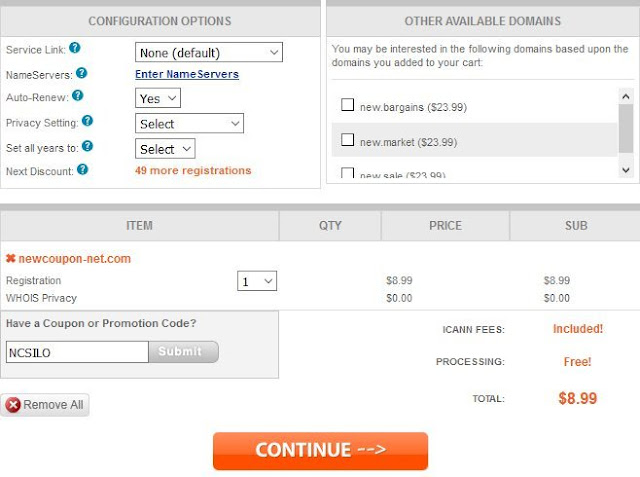
.Com registrations for just $8.99 at NameSilo, No limits

NameSilo just launched a big .Com promotion, for a limited time, you can register the .Com domain for just $5.99 for 1st year.  No limits a...