Showing posts with label Technology. Show all posts

Wednesday, 18 January 2017

QUICK LOOK ON TOP 10 BUSINESS SOFTWARE AND TOOLS


Business, as all we know it’s not a single handed thing but a teamwork, in which we give some service, product, a solution to the people, so they can make their life easy or beautiful.
But, nowadays there is so many software available online or offline, which can help us, to run our businesses alone. These are in the form of virtual assistants, virtual executives, online databases or online tools. There are so many and very easily available, some are free and some are paid.
Here I will discuss, only ten main software which can act as a pillar of your business. But trust me if you go to do research by yourself you will found amazing software and tools. 
1) Accounting Software:  One of the important department of the business is accounts.Tally is an example everyone heard about it but now there are so many improve and advance accounting software are available in the market like Xero, QuickBooks, Zoho, Kashflow and much more. The features of these softwares are:
  • Convert quotes into the invoices
  • Track expenses, billable hours, bills
  • Manage vendors, suppliers manufacturers
  • Manage inventory, fixed assets
These software price range is from $0-$36, depends upon features and services taken by you. 
2) Backup and Recovery: Unfortunates are the part of the business and hard disk crash or fire in office are the most common accidents which happen in offices. But now do not worry about these type of things, because you have some amazing software available in the market which can help you to take the backup of your data and to recover any time. Some examples are NovaBackup, Acronis True, Genie, TurboBackup and much more. The features of these softwares are:
  • Highest level of Encryption
  • Cloud integration
  • Full system imaging
These software price range is from $0-$100, depends upon features and services taken by you. 
3) Project management software: Business survives only on projects done by it. Nowadays time is everything and every client wants his/her project should be complete on time without any error, so this is one of most important software or tool of the business. Some of best project management softwares are Freshdesk, Confluence, Slack, Trello, Basecamp and much more. The features of these softwares are:
  • Budget Management
  • Team management
  • File sharing,
  • Easy to communicate with client as well team
  • Client and admin can see work progress online
  • Time and Expense Management
These software price range is from $0-$100, depends upon features, services and number of users taken by you. 
4) CRM: The full form of CRM is Customer Relationship Manager. Any software who can help you to manage your customers either in the form of sales, project tasks, marketing automation, support or help is known as Customer Relationship Manager.Some of the examples are Salesforce, HubSpot, SAP, Pardot, SugarCRM and much more. The features of these softwares are:
  • Streamline the email marketing
  • Give clean report to client
  • Real-time data analysis and reporting.
These software price range is from $0-$100, depends upon features, services and number of users taken by you.
5) Database:  In simple words, a database is a group of tables, in which our data get stored. All our applications get to connect with these databases and retrieve the information according to a user request. MS-Access which comes with the Microsoft office is the most common and known database. But now, there are so many other databases which are available in the market with advanced features like Oracle, MYSQL, SAP, Teradata and much more. The features of these databases are:
  • Intelligent optimizer to process queries
  • Combine unstructured and structured data in a smart way
  • High performance for transaction base application
  • Security and Safety of data
These software price range is from $0-$100, depends upon features, services and number of users taken by you.
6) Email Application: Emails become the important part of our daily life, whereas in business this is the most important part of the marketing department. Although there are so may other ways but email marketing still have its position or importance in marketing, So keep this point in mind, developers develop so many email marketing softwares like Inky, Sendblaster Mozilla thunderbird, Opera Mail, Zimbra and much more.
The features of these softwares are:
  • Built-in calendars
  • Auto scheduling of sending mail
  • Multiple email accounts
  • Easy to use
These software price range is from $0-$10, depends upon features, services and storage space taken by you.
7) Remote access: Sometimes it happens, especially in startups or small businesses where you need to make your client happy at any cost, client give the changes and developer are missing. In these type of critical conditions where the work has to done on the urgent basis and the worker is not available, these remote access software is very helpful. These softwares allow anyone to use the device from the remote location. The other way around, we can use them for real-time editing or changes.  Some of the remote access softwares are Team Viewer, Remote Utilities, Ammyy Admin, Ultra VNC and much more. The features of these softwares are:
  • Easy control of mouse and keyboard to a remote PC
  • Bult in chat application
  • Transferring files
  • Cursor Tracking
These softwares price range is from $0-$500, depends upon features, services, and a number of computers taken by you.
8) Security Suite: Security is the major part of our life either offline or online and when we talk about business it becomes the critical need of our business.  Nowadays so many Internet security softwares ar available, who continuously monitoring our devices so that no virus or bug can affect them and steal any type of data. Some of best internet security softwares are Bitdefender, Norton Security, Kaspersky labs, Avast and much more.
The features of these softwares are:
  • Antimalware
  • Act as Firewall
  • Scan all the emails
  • Protect login and passwords
  • Online backups
These software price range is from $0-$100, depends upon features and services taken by you.
9) Social Media applications:  nowadays, LinkedIn, twitter, Quora, Facebook and many more social media platforms where we need to market our products, services or solutions, so we can reach more users or customers. But when the point comes to post or follow on this platform it becomes a huge project. So to manage all these things there are so many software available in the market like ONEsite, Exo Platform, Hoot suite, Social engine and much more. The features of these softwares are: 
  • Give access to all social platforms under one roof
  • Auto schedule post, comments
  • Follower tracking
  • Comments & posts tracking
  • Suggestion tools for comments and post creation
These softwares price range is from $0-$100, depends upon features, services, and a number of accounts added by you.
10) VOIP: VOIP means Voice over internet protocol, in easy words with this software we can do instant messaging, internet voice calls and voice conferring altogether. Some of the examples are Skype, Google hangouts, ooVoo, Viber, Jitsi and much more. The features of this softwares are:
  • File or Screen sharing for online meetings
  • Group video chats
  • Serves multiple users simultaneous
These software price range is from $0-$10, depends upon features, services and number of users taken by you. 
There are some other software like calendars, instant messaging, blogging tools, website builders, and freelancer or workers providers and so on. Really want to grow your business without the help of so many people, go and include all these software in your business now.
That’s all for today, hopefully, you will like it. Please share your comments and opinions in the below comment box.

Monday, 26 December 2016

2017 TOP SMARTPHONES

Smartphones, everyone is so much addicted that make them more and more powerful, that it become an important part of our life.  It acts as your clock, storage device, alarm clock, calendar, reminder, and if we start talking about apps you name it you can use that through on your smartphone.  oh, how I forget Camera, games, and audio video player, means it become as important as you need other electronic devices in your daily life. So today I thought to let us look some of the new smartphones which will get launch in 2017.
·         Apple iPhone 8
·         Samsung Galaxy S8
·         LG G6
·         HTC 11
·         OnePlus 5
·         Sony Xperia X Series
·         Nokia C1
·         Microsoft Surface Phone
·         Google Project Ara

Name
Release Date
Price
Features
Source
Apple iPhone 8
Q-4, 2017
1199 $ to 1599$.
5.5-6 inch Super OLED Display
Primary Camera: 14 MP
Secondary (Front) Camera: 4 MP
Internal Memory: 32/64/128/256 GB
RAM: 4 GB
Battery: Non-removable Li-Ion 3000 mAh batter
http://iphone8look.com/`
Samsung Galaxy S8
April 2017
$850
5.2” 4K display with a 4096 x 2160 screen resolution
Primary Camera: 30 Megapixels Secondary (Front) Camera: 9.0 Megapixels
Internal Memory: 
64 and 128 GB internal memory and expandable with dual micro SD cards
RAM: 6 GB
Battery: 4200 mAh
http://galaxys8info.com/
LG G6
September 2017
$650- $750
5.6” 4K display with a 4096 x 2160 screen resolution
Primary Camera: 24 Megapixels
Secondary (Front) Camera : 7.0 Megapixels
Internal Memory: 32, 64, and 128 GB internal memory and expandable to 128 GB with dual micro SD cards
RAM: 5 GB
Battery: 4200 mAh
http://lgg6info.com/
HTC 11
April 2017
870$
5.5 – inch with a 2560 x 1440 pixels of the Quad HD resolutions
Primary Camera: 12 MP
Secondary (Front) Camera: 5 MP
Internal Memory: 32/64 GB
RAM: 6 GB
Battery: 3000 mAh 
http://www.smartphoneandprice.com/htc-11-to-launch-with-prodigious-specifications-price-tag-to-fall-near-htc-10s-price.html
OnePlus 5
March -May 2017
$420
5.5 ” Quad HD AMOLED
Primary Camera: 16 MP
Secondary (Front) Camera: 8 MP
Internal Memory: 64 GB
RAM: 6-8 GB
Battery: 4000 mAh 
https://oneplus4.net/


Except the above mention there are some other smartphones, which have possibilities to launch in 2017, but still, these companies do not give their full information so I am sharing a bit on them

Sony Xperia X Series: With a 23mp camera, 2,620mAh battery, 3 GB RAM, 32GB storage device at the cost of $700, SONY still not announce the release date.

Nokia C1: Again release date not confirmed, but NOKIA brings this time 5.5 inches screen with 1080*1920 pixels with internal memory 32 GB, RAM 2 GB, a Primary camera 13 MP and Front Camera 5 MP with Nonremovable Li-lon battery.

Microsoft surface phone: 5.7 inch display screen with 3GB RAM/32GB storage, 2GB RAM/128GB storage, 8GB RAM/500GB storage. Yes, it will have three versions with the price range of $699 - $1,100  excepting release date will be First half of 2017.

Google Project Ara: Last but surely not least, ARA, another amazing project from GOOGLE. The thing which makes it unique is its design which consists frames, work as specialized components. It will be in three sizes Mini Frame of 4.65*1.77*0.38 inch, Medium Frame of 5.55* 2.68*0.38 inch and Large 6.46*3.58*0.38 inch.


Now, roll up your sleeves, and get ready to burn a hole in your pocket, because I am sure after reading their features you cannot stop yourself at least to buy another one smartphone.

Sunday, 27 November 2016

10 PROJECT MANAGEMENT TOOLS AND TECHNIQUES


This is well-known fact these days that the Project Management is the backbone of the project. Be its planning of resources, be its effort and cost estimation, be it anything related to project, efficient Project Management is most important and crucial factor in the success of the project. Experts say it takes almost 10-12% effort of total project effort in Management.
Project Management is not as simple as it seems to be. It feels good to project Manager of any project but when it comes to actual execution, he/she is the one who takes the most pressure. In order to have a smooth path for the project, there are a lot of tools and techniques in the market which can not only make the Project Manager’s life easy but can lead to a systematic and controlled execution throughout the project.
In the article, we will discuss the most commonly tools and techniques being used by successful leaders. We will talk about the techniques first followed by the Tool:
Techniques:
1) Brainstorming
This is a most common technique used at the very early stage of everything. This is basically having an open discussion with all stakeholders involved and narrow down to the specific path. This is the easiest way to start a new activity or decision-making process.
2) Critical path (Flow diagram):
This technique helps a Manager to get a quickest and the slowest timelines of the project. In this, all the major milestones act as intermediate destinations that create a path from start to end of the project. Then with help of proper stakeholders, Manager conclude a set of mandatory destination for the project and a way leading through Mandatory destinations is called critical path. This gives Managers a flexibility of delay for the destinations that are not on critical path.
3) Fish Bone analysis
This technique helps a Manager to find out the root cause of any problem in early stages the project. This is basically a Cause and Impact and helps to find out anything that can make a big impact on the project and the possible cause of the activity. So basically it helps in writing down risks in the project.
4) Lesson Learned
This is most commonly technique used by Managers to document the findings from a completed project and use the same in the upcoming similar project in future. Lesson learned can be documented through various project closure meetings. feedback sessions, Feedback surveys. This is very important and essential technique to be used in every project.
5) Variance report
This is another very important technique being used by Manager during the execution of a project and in order to have a better control and governance on the project. Manager document the actual effort and cost being used in the project against the planned. This helps higher management to have an overview on the consistency in the project as well as a confidence for having a good governance.
6) Project Charter
This technique is used to initialize any project. The project charter is a document that contains all the relative information about the project requirement, stakeholders, and tentative timelines. This is generally a one-page document that act as inputs to the actual scope document.
7) Gantt Chart
This is a most important technique that a project manager uses throughout the project. Gantt chart is basically a timeline of complete project and details on the milestones or destinations. Project Manager often uses Gantt chart to showcase the whole project to management instead of the detailed project plan.

Project Management tools:
1) Microsoft Project: This is one of the most widely used project management tools across the globe. Very handy tool that provides almost everything from planning to execution out of the box. Excellent tool for a beginner. It provides a very interactive user interface that seems like a simple excel sheet to use and do many things automatically for the Manager. If you want to track the overall project in very simple and easy way, this is the tool for you.
Product Vendor: Microsoft
License: Paid /per installation or Bulk
Application Use: Desktop Based application
Features:
1) Complete project Plan
2) Resource Detail and dependency
3) Ability to trace the relation and dependency of tasks on other tasks.
4) Out of box Gantt chart
5) A number of reports to be used.
2) Gantt Project: This is just a smaller version of MS Project and often reviewed and compared by a user across the world. Like MS project, it is also an interactive tool but the person using this must have good knowledge of Project Management. It manly focus on PERT and Gantt charts.
Product Vendor: Open source
License: Free
Application Use: Desktop Based Application
Features:
1) Gantt. PERT Charts
2) A number of reports to be used in pdf and word format
3) Project Place: This is a cloud-based tool and being used by number of organization across the globe. This is very interactive and detailed planning and execution tool and a complete project Management solution. Using Project Place once can track to smallest possible activity with resource attached, the status of activity, execution dates, effort spent and much more.  Project place act as a single repository for project planning, document handling. Issue tracker, Meeting notes, meeting scheduling and much more. Whole plan can be divided into the board (phases) and can further be divided into cards (tasks) that can be assigned to respective resources. Once of the best project Management tools if used to fullest capabilities,
Product Vendor: Project place International
License: Paid /per user
Application Use: Cloud (web based)
Features:
1) Complete project Plan
2) Resource Detail and dependency
3) Ability to trace the relation and dependency of tasks on other tasks.
4) Always live and actual status of the project. No need to put anything in any report.
5) Tracking to activity level
6) Single place for all project related documents
7) Out of box meeting scheduler and Minutes of Meeting holder
8) Issue tracking and reporting facility
9) Out of the box resource level report for work load  

Tuesday, 13 September 2016

EARTHLINK

What You Ought to Know about EarthLink 
EarthLink is a foremost network services provider committed to offering greater customer experiences in a cloud connected world. Their business is to help residential customers and organizations to securely set up significant connections in the cloud, keeping them online, up to date and out-front.

What is EarthLink? 
EarthLink is described as communications, network and IT services provider. It provides different types of products and services geared towards delivering against the needs of unique markets and audiences. The company operates in EarthLink Consumer and EarthLink Business.
On the other hand, it is engaged in selling IT Security, IT and Virtualization, Communications, Collocation, Support Services and Hosted Applications. Launched in 1994, this company owns and operates U.S. network such as eight data centers, 90 metro fiber rings and 29,421 route miles of fiber. EarthLink keeps you connected, anytime anywhere.
More than 1 million Internet users have opted for EarthLink as their Internet provider among the numerous Internet service providers across the globe. This company has a fiber optic network that spreads over the entire nation with more than 28,000 miles of fiber routes.
They have continually grown and improved their services in the last two decades. Moreover, EarthLink is dedicated to good customer service in order for their customers to do the same in their businesses. This service in addition to their products and features make them stand out from the crowd and a popular choice in the industry.
It is noteworthy that there are varieties of technologies that can be used to bring customers to their Internet network all over the Internet service industry. EarthLink makes use of a number of these technologies. They provide Internet service to their customers via cable networks, satellite technology and DSL options. With more choice available, customers can actually customize their Internet experience.

How EarthLink Service Differs from Web Hosting? 
If you want to promote your business and make its presence felt online, a website is an affordable and flexible ay to do so. Whether your business is a well established one or a new start-up, a website gives you access to a customer base who are searching for your product or service online.
Web hosting service offered by EarthLink Web Hosting stores images, HTML and other related files on its servers and makes it visible on the web. EarthLink provides web hosting solutions that will enable you can design and promote your website and sell online easily.

What Is Web Hosting?
Web hosting is therefore a service that keeps all your website files in a computer, making it possible for your website to be accessed on the Internet with its connection to the World Wide Web (www).

Types of Web Hosting from EarthLink

Free Web Hosting- EarthLink provides 10MB of free web hosting space of DSL Internet, Cable Internet, Dial-up and other Internet access to their numerous customers. They opined that this is enough space to use for only a small, private website, but it is not suitable for a business website.

Shared Web Hosting – This is the least expensive and most common type of commercial web hosting required by businesses. Professional shared web hosting services are provided on the earthlink.net platform. It is a complete service that offers online marketing tools, business-class email, domain names and other notable web hosting features.
Ecommerce Web Hosting- This is any type of web hosting, dedicated, shared and lots more that lets the hosted website provide secure online purchasing with SSL encryption. Ecommerce web hosting from EarthLink is both professional design and build your own website categories.

Cloud Hosting– This type of hosting provides remote virtual servers as a service. You can use Cloud servers for web hosting or other IT computing needs. Cloud hosting service from EarthLink is provided via the EarthLink Cloud division.

Dedicated Web Hosting - This is the type of hosting where a whole server is dedicated to a customer. You need this type of web hosting if you have a website with high traffic volumes. You can also use it if your business needs a full control, the highest degrees of security and increased server performance. This service is provided through the Cloud division of EarthLink.

To the question of how EarthLink is different from web hosting?
While EarthLink service is purely Internet services for businesses including frame relay and ISDN Internet access, web hosting is a way by which EarthLink houses your computer files in their server, in order to be visible on the www by probable website users.

Packages for EarthLink
Dial-up – includes free online protection, 8 email addresses, free 24/7 support.
4G Wireless Standard Plan – There is no term commitment, 10GB monthly data, free 4G Modem included, 512 Kbps upload speed and 3 Mbps download speed
4G Wireless Premium Plan – No term commitment, 10 GB monthly data, Free 4G modem included, 6 Mbps download speed and 1.5 Mbps upload speed.
4G Wireless On-The-Go Standard Plan – 4G free modem included, 3 Mbps download speed, 2GB monthly data, 512 Kbps upload speed and no term commitment.
4G Wireless On-The-Go Premium Plan – 4GB monthly data, 4G free modem included, 1.5 Mbps upload speed, 6 Mbps download speed and there is no term commitment attached.
DSL – Up to 7 Mbps download speed
Cable – up to 15 Mbps download speed
Speed – 266 Kbps upload speed and 1.3 Mbps download speed

Main providers of EarthLink
EarthLink was jointly established by Kevin M O’Donnell, Reed Slatkin and Sky Deyton and thus the main providers of EarthLink.

Cities and Towns Earth link may be Available
EarthLink is headquartered in Atlanta Georgia and renders services in the United States and other notable cities and towns of the world. Where we can get EarthLink are:
Ashaway
Albion
Barrington
Cranston
Clavville
Chepachet
Charlestown
Central Falls
Carolina
Bristol
Bradford
Block Island
Greene
Glendale
Foster
Exeter
East Providence
East Greenwich
Cumberland
Cranston
Coventry

The Bottom Line
EarthLink is one of the leading and matchless Internet service providers in the industry. They provide their customers with a wide range of options technologies including Cable, DSL, Satellite, Wireless and Dial-up. It is this technology selections that enable EarthLink to have a large service area and offer coverage for the entire country. Apart from the aforementioned services, customers will get 24/7 technical support and free security software as additional bonus. This is your fit if you don’t need a ton of speed and it is budget conscious.


Thursday, 31 March 2016

WHY IS CLOUD HOSTING THE MOST TRENDING THING NOW?


Hosting, when I start this topic I was thinking I will finish this in one post like I did in my previous post, Hosting Services- For beginners but I was wrong. This topic is very vast and nowadays one of the trending topic related to hosting is Cloud Hosting.
What is cloud hosting?
Cloud hosting also known as VM, Virtual Machine, IaaS (Infrastructure as a Service), based on cloud computing technologies provide hosting for websites on virtual servers.This is a better option than shared hosting services as well performs well than dedicate hosting solutions.
Benefits
  • Highest level of website performance guaranteed by multiple machines
  • Guaranteed server resources (CPU, RAM)
  • Redundant data storage
  • No single point of failure
  • Website growth flexibility
  • Lower pricing and generous features
Types of Cloud Hosting
Scalable cloud hosting
Scalable Cloud Hosting plan gives the option to all customers to control their resources and pay only for what they are using. This option reduces costs and offers scalability to all of our customers. Even some customers can choose the number of CPU cores they want along with the amount of bandwidth, disk space, and RAM. These options can be changed without having to completely migrate hosts or create a virtual machine, giving our customers less downtime.This hosting provider Vertical Scaling which involves increasing workloads with existing hardware resources and Horizontal Scaling which involve expanding hardware resources to allow greater workloads.
Managed cloud hosting
Managed cloud hosting includes the safety and dependability of private cloud hosting but is as cost effective as a public cloud. It is designed for a high availability and private-cloud structure It automated resource balancing and failover: If a host stops working, cloud servers are at an advantage due to their consistently available infrastructure. Virtual local area networks (VLAN), protected firewalls and Intrusion Detection System (IDS)/Intrusion Prevention System (IPS) may be used in cloud servers to deliver a highly protected environment. I t is developing as a hybrid of virtual and physical servers. The costs of a managed cloud are as effective as most public clouds. The resources and also the services are billed per usage.
Private cloud hosting
 Private cloud is a particular model of cloud computing that involves a distinct and secure cloud-based environment in which only the specified client can operate. Under the private cloud model, the cloud (the pool of resource) is only accessible by a single organization providing that organization with greater control and privacy. The features and benefits of private clouds are
Higher Security and Privacy, More control, Cost, and energy efficiency, Improved reliability, Cloud bursting
Public cloud hosting
The most recognizable model of cloud computing to many consumers is the public cloud model, under which cloud services are provided in a virtualized environment, constructed using pooled shared physical resources, and accessible over a public network such as the internet. The public model offers the  features and benefits Ultimate scalability, Cost effective, Utility style costing, Reliability, Flexibility, Location independence
Hybrid cloud hosting
A hybrid cloud is an integrated cloud service utilizing both private and public clouds to perform distinct functions within the same organization. All cloud computing services should offer certain efficiencies to differing degrees but public cloud services are likely to be more cost-efficient and scalable than private clouds. Therefore, an organization can maximize their efficiencies by employing public cloud services for all non-sensitive operations, only relying on a private cloud where they require it and ensuring that all of their platforms are seamlessly integrated. Hybrid cloud models can be implemented in a number of ways:
Separate cloud providers team up to provide both private and public services as an integrated service
Individual cloud providers offer a complete hybrid package.
Organizations who manage their private clouds themselves sign up to a public cloud service which they then integrate into their infrastructure
 A hybrid cloud configuration, such as hybrid hosting, can offer its users the features  are Scalability, Cost efficiencies, Security, Flexibility
Difference between VPS and cloud hosting
A virtual private server is a single physical server, split up between a limited number of users. Whereas a private cloud uses distributed resources across multiple physical servers. Another major difference between a VPS and a private cloud is the location of the hardware. A virtual private server is generally hosted at an off-site, third-party web hosting provider. A private cloud is situated on site or at a data center you own. Along with Cloud control panels are built with quick provisioning and deployment in mind. The process to get a new virtual server, database or another resource up and running typically takes only a few clicks through the administrative panel. A VPS requires you to upgrade your service manually, send in a support ticket to the provider, or call to get tech support to provide you with the resource needed, making a private cloud more convenient in this regard. Above all, A private cloud is rather expensive in terms of hardware, as you have to shoulder the cost of the hardware, installation, set-up, and maintenance. This is lowered somewhat if you go with a hosted private cloud, but you don’t have the same level of control on a hosted cloud as you do with your own, on-site option. A virtual private server is vastly less expensive and even cheaper than dedicated server hosting. If cost is an issue, the VPS wins out every time.
In conclusion, it has pros and cons now it depends upon your requirement which hosting is better.
That’s all for today.  Please post some comments on the below comment box.

Monday, 28 March 2016

iPAGE - BEST AND CHEAP HOSTING SERVICE

Hi guys, Today my topic is about a webhosting company ipage, one of my long term hosting partner ipage.com since i start work. I already post a article in which I explained what exactly the web hosting is? and how important it is for us, for full article please visit  web hosting for beginners but today  I am focusing only on ipage and  try to explain why I am using it? what are its benefits etc.. 
I am using this web hosting company from last 5 years and I experienced all the good and bad features of this company but I must say from last 5 years this company is growing very professionally. Mine latest website http://ebuyzaar.com/ is also hosted under this company.
Why I am writing this?
As I said before I am using this company service from last 5 years .Initially I really get some difficulties for my ecommerce website but today when I check the company details it improves a lot. Not only customer point of view but also the services they are providing. Now they include more website builders, security and other features. so i thought to write a thanking article for them.:)
Services:
Ipage is a webhosting company who is  providing sharing hosting services as well dedicate hosting services for our websites.Visithere for more information about services.
Benefits of ipage:
  • Free domain name with one year hosting service
  • All core features like Unlimited Storage Space, Email accounts with customized domain name, Databases even for shared hosting service.
  • Full advance control panel  having File manager, FTP manager, Website backup software, Bandwidth and Disk usage monitor, Webmail and many more.
  • 24/7 networking monitoring
  • Visitors Static/Site Traffic Report
  • Designing and Building Tools like one click installs for content management systems like wordpress, Prestashop, drupal etc.
  • In built mobile optimized website builders like weebly etc.
  • Photo galleries like Gallery2, ZenPhoto etc.
  • Blogs like wordpress, Pixel Post etc.
  •  Forums like Gbook , phpBB etc.
  • Marketing Tools like 100$ Google AdWords offer, $100 Yahoo/Bing search credit, Free Yellowpages.com listing, one US base free toll free number.
  • Email Forwarding, Auto responders, Customizable Spam Filters.
  • Best Customer support in today time, Online help centre and ticketing system, 30-day money back guarantee when you buy a hosting service, live chat, email, 24/7 phone system. Calls answered in a minute of average.
  • Powerful affiliation program, I think maximum commission I found in this company.

In short, you name the service related to hosting company and you will find here.All services under one roof.
I am working as Web developer from last 5-6 years and I check other hosting services also but the improvement and growth I found in this company is amazing. Good Luck J
That’s all for today.  Hopefully I am successful to introduce you with a reliable company. Keep commenting J 

Looking for a reliable and cheap web hosting service, click here. 

Sunday, 27 March 2016

iPHONE 6s- LIVE IMAGES

One of the highlighted feature of iPhone 6s is live photo. This is speciality of apple, when ever they introduce their new feature, they come up with such a unique feature that every one get shocked.  Last when iPhone upgrade their operating system they come up with Low Power Mode feature. For more details Read my article WHY iPHONE BATTERY ICON SHOWING YELLOW LIGHT COLOR? and in this version they come up with Live images.
What are Live Images?
Live photos are the similar jpg files like we click from our cameras , only the difference is it comes up with the combination of .mov file.
How it works?
Actually the app starts work as soon as we open the camera app and start recording and as we tap the shutter button ,it takes the 1.5 seconds video before and after you press the button. In this way automatically 3 second video get recorded in this procedure and your jpg become moveable jpg. One more thing refer the below image, you must see a yellow icon on the top of iPhone and text Live on the left side. This shows live image mode is active.
How to View live images?
After capturing the photo it saves in gallery like the normal images. In thumbnail view, you cannot trace them only on full screen you can see them.
How to edit Live images?
We cannot edit live images directly as we did with normal images, but we can convert the live images in still images. So we want to edit the live images like change its brightness etc. then we need to convert them in still images. After editing we can revert back these changes.
How to share these live images?
These images can be share on iOS9 devices such as iPhone or iPad using iMessage, AirDrop, iCloud Photo Sharing.
Difference between Gif and live photo:
Some people get confuse with gif and live images, even myself. When my husband told me about this first my first reaction was this is like gif images. But no, as I do more research about it I come to know that there is audio in live photos , which makes it differ from gif images.
Size:
As we know jpg images take the most storage in our phones, so size is a major factor. Now live images come up with a 3 second video files , then it become more heavy than normal jpg files, almost double.
In short, apple brings a life in images. Now we can view and share the living moments of our life.

Saturday, 19 March 2016

THINGS YOU SHOULD KNOW ABOUT HOSTING SERVICES


Planning to develop a Website for your business, launch a personal blog, create any social networking platform or start any online shopping cart, the first step is to purchase a web hosting service and domain name. Personally, I will recommend Ipage, which I am using from last few years.   let us start with the basic concepts of web hosting.
What is this Web Hosting Service?
Web hosting Service can be defined as online space provided by Hosting Providers on the internet to publish our web pages. On this space, we can save our files and databases which are maintained by web hosting providers. These web hosting providers use special techniques to make our files secure and keep them online until we want. In easy words, as we store our files on personal computers, hosting providers use hi-fi computers to save them. These computers called web servers and all the services provide by Web hosting providers call Web Hosting Service.
How it works?
A user needs an internet connection mandatory, to use this service.   After getting an internet connection, he has chosen right hosting service for him. There are three types of hosting services.
  • Free Web Hosting
  • Share Web Hosting
  • Dedicate Web Hosting

The user needs to choose the hosting service according to its requirement like if he is planning any e-commerce website, he needs to choose to Dedicate server with SSL Certificate. Now after selecting right service and developing its website, the user will type its address into the browser(  Internet Explorer, Safari, FireFox, Chrome etc. ), the computer will connect to the web server and user can view the web page.
Some other things also important while choosing hosting service, like its
Uptime: The time taken by file to get upload in the server.
Downtime: The time taken by file to get the download from the server.
Server Language: While choosing hosting service we must assure that which server language user will use to develop our website, means if it's PHP, PERL, PYTHON then the user should go for LINUX Server base hosting service, on other hands if user use ASP as server language then go for WINDOWS Server base hosting service. LINUX base server supports MYSQL and PostgreSQL databases. Whereas WINDOWS Server base hosting service supports Microsoft SQL Server and Access database.
Online Space: The total space given by hosting provider, where you store your files.
Connection Limits: Especially for those websites in which your website visitors needs to interact with your database on regular basis.
FTP Access: FTP stands for File Transfer Protocol, which is used to upload and download the files from your server. You need to check your Hosing service provider how many FTP accounts?
Backup: Your hosting service should have the facility to provide backups of your files and database means they give you service to make duplicates of your files and database.
Email accounts: One is major service, means the user can create its email account with its domain name which he registered with his web hosting service. For example info@domainame.com.Along with, he can forward his emails or can set up POP3 or SMTP accounts.
That’s all for today hopefully you will enjoy and keep commenting.


Tuesday, 8 March 2016

BITCOIN - FOR BEGINNERS

BITCOIN , now a days I am hearing a lot about it and really good news only J so today I thought to get an idea about it.
An decentralized money which are neither printed like dollars or euro nor owned by any government, bank or company is known as Bitcoin. This is a peer-to-peer technology having no central authority and use to managing transactions. Although this open source whose controlled by no one but everyone can take part in it. This is designed for public. Bitcoin is available in 32 countries https://www.coinbase.com/global?locale=en
How Bitcoin differ from other payment services:
  • First and the major difference is payment gateways uses currencies like Indian rupees, US dollars whereas Bitcoin itself a currency.
  • Payment gateways are to done secure transactions in which banks are involved, whereas Bitcoin  don’t need any banking system and replace it with block chain technology.
Bitcoin History :
In 2008 Satoshi Nakamoto invented a payment system and in 2009, he mining the first block of bitcoin known as genesis block. That time the value of 1$= 1,309 btc and now it reaches to around 410$.
Bitcoin terms and meaning :
  • Block chain - the shared public ledger on which the whole bitcoin network depends.
  • Transactions- the value which transfers in between bitcoin wallets.
  • Private keys-a secret piece of data reside in bitcoin wallet.
  • Bitcoin wallets – the mobile application use to keep their private keys. For example https://xapo.com/wallet/, https://bitcoinwallet.com/, https://www.coinbase.com/
  • Mining- it is a process of adding transaction records to public ledger.
  • Bitcoin Core-Is a program to decide which block chain contains valid transactions.
Bitcoin processing fees :
The processing fees for Bitcoin is very less usually less than 40 cents. For more detail visit http://bitcoinfees.com/
Here I giving reference of some websites where you can find more detail about this topic
Although Bitcoin has so much benefits but still people are not so much aware of this. As there is no proper marketing of this people are not so much educate about it. 
This topic so vast and I really give only some basic idea for beginners.  It’s just an introduction of Bitcoin for my readers and surely I will write more about this topic.Hopefully, you guys enjoy it and post your comments.

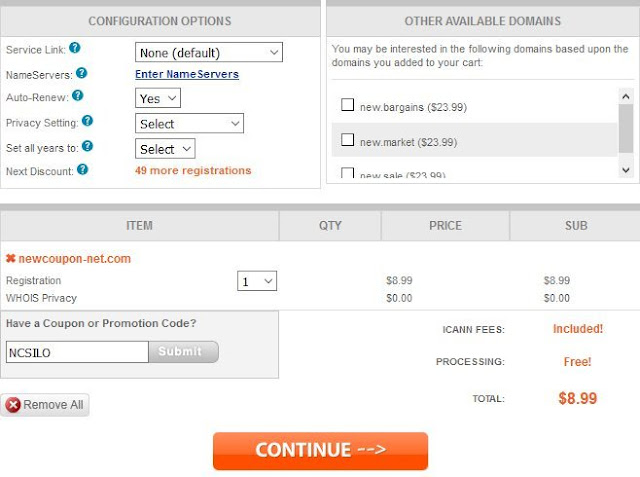
.Com registrations for just $8.99 at NameSilo, No limits

NameSilo just launched a big .Com promotion, for a limited time, you can register the .Com domain for just $5.99 for 1st year.  No limits a...